
What is eDiscovery Software?
eDiscovery software allows legal professionals to process, review, tag, and produce electronic documents as part of a lawsuit or investigation. The right software can help attorneys discover valuable information regarding a matter while reducing costs, speeding up resolutions, and mitigating risks.
In the legal system, discovery is the legal process governing the right to obtain and the obligation to produce non-privileged matter relevant to any party’s claims or defenses in litigation. eDiscovery is that process applied to electronically stored information (ESI), such as emails, computer files, and databases. In other words, it is the legal procedure by which parties are required to exchange information and evidence with one another in state and federal courts.

.svg)
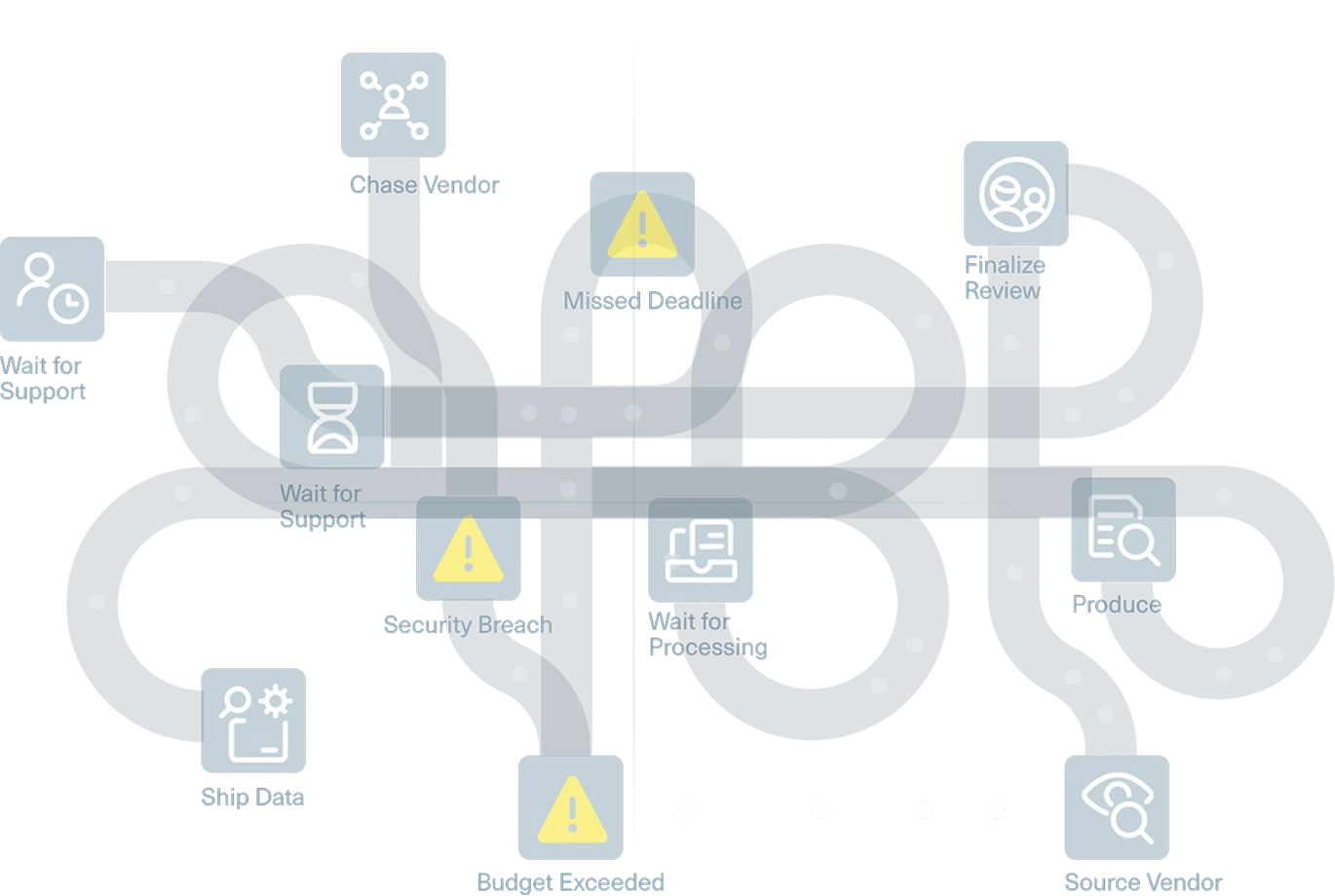
The evolution of eDiscovery software
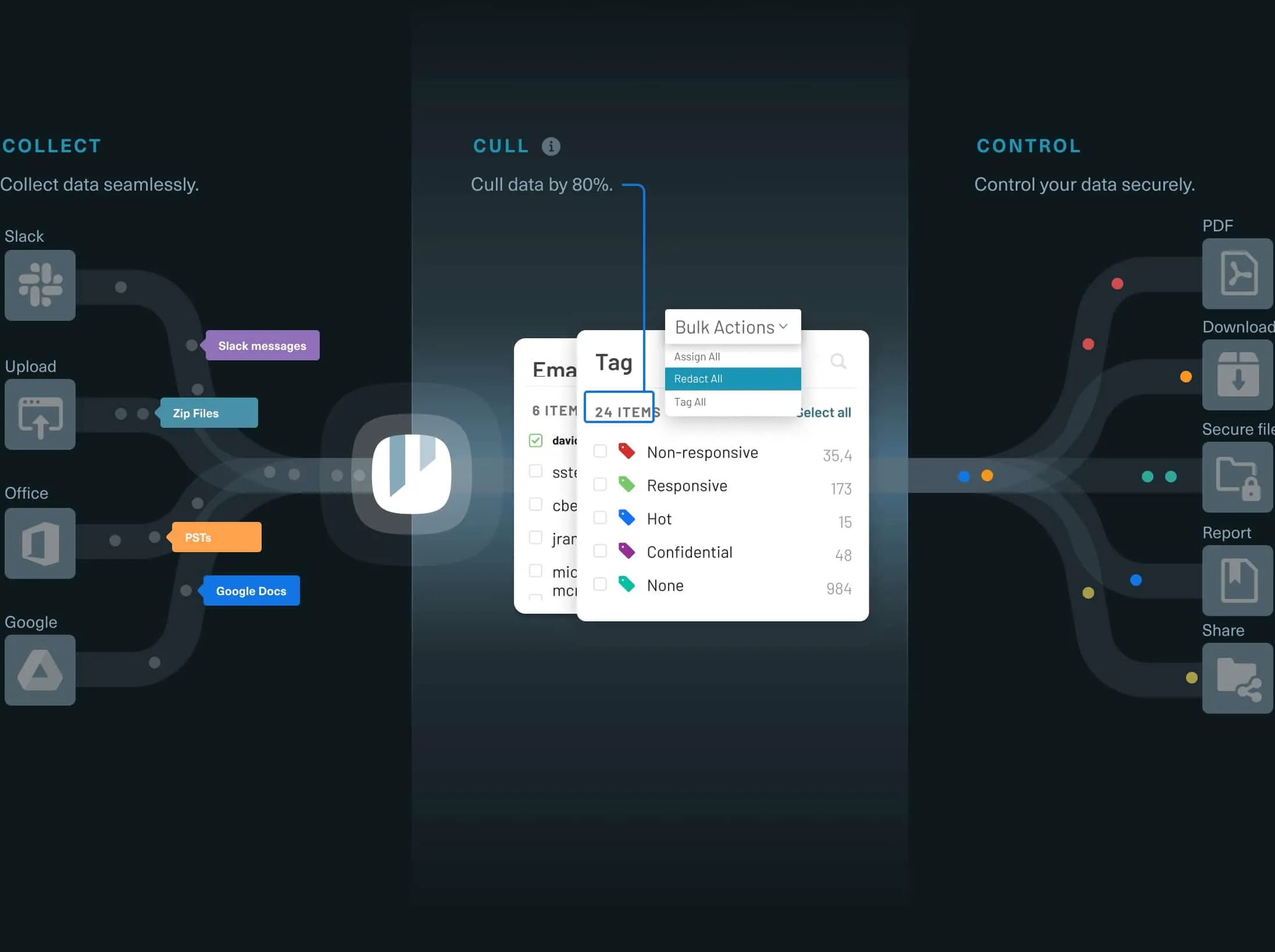
The evolution of eDiscovery software

How does eDiscovery software work?
eDiscovery software, also known as document review software, allows legal professionals to handle electronic documents in discovery and investigations. These tools automate common discovery steps such as data ingestion, file indexing, OCRing, virus scanning, and more, preparing documents to be reviewed and produced. Once data is loaded into a platform, legal teams can begin reviewing the data, creating searches to find documents, sorting information by metadata fields such as creation date or document author, and tagging files as responsive, non-responsive, by subject or legal element, etc. Discovery software can also drastically reduce the amount of documents requiring eyes-on review by allowing teams to quickly cull out extraneous files, such as duplicate files and information outside the scope of the review. This allows teams to focus on the most important data. Once data has been culled, reviewed, and tagged, eDiscovery software can automatically Bates stamp documents, apply redactions, and create productions that can be securely shared with other parties. eDiscovery software that is cloud-based has the added advantage of making it possible to upload, review, and produce documents online, without the delays, costs, and frustrations associated with eDiscovery approaches such as manual review, third-party vendors, or legacy software.

Compare eDiscovery Solutions
The best solution for your discovery work will depend on a variety of factors, including the type of data you need to review, the amount and complexity of your data, the probable length of review, and, perhaps most importantly, the eDiscovery software used to conduct the review.
eDiscovery vendors
eDiscovery vendors emerged as electronically stored information first started working its way into litigation, initially as a small group of glorified copy shops and expanding from there. Today, vendors range from traditional “ship us the DVD” companies to managed services providers, who will collect data, process it, and manage an army of contract lawyers to sift through it.
On-Premises eDiscovery Systems
Years ago, many firms sought to reduce vendor costs by creating their own on-premises eDiscovery systems. These systems allow firms to bring eDiscovery in-house, but can require significant investment in software, hardware, and internal IT staff.
Vendors in the Cloud
The cloud has revolutionized discovery, allowing legal professionals to begin a project in minutes and conduct discovery from anywhere. Some cloud discovery services apply simple, predictable models. Others replicate the approach of traditional vendors, from line-item charges for easily automated process to per-project minimums and restrictive user fees.
Logikcull
Logikcull’s powerfully simple eDiscovery software eliminates hidden fees and puts you in control of your discovery process. It automates thousands of steps that vendors bill for, from deduplication to OCR’ing to metadata preservation.
Start a new project in seconds, search through documents as easily as using Google, and automatically categorize documents through dozens of filters — and keep costs under control, with clear, 100% predictable per-matter pricing or a customized subscription plan
“Thanks to Logikcull, we now only engage outside counsel in 1 or 2 matters per year, whereas previously, we'd get them involved in more than half of our 9 or 10 yearly matters. That's an 83% reduction in OC reliance — and costs.”


Matthew Gainer
Senior Manager, Litigation
“After I was able to handle that massive subpoena by myself, I realized we had to make Logikcull a core piece of our software stack. It's allowed us to reduce our subpoena response timelines by 90%."


Terence Leong
Senior Counsel, Litigation
"Logikcull Hold allows us to issue holds quickly, ensure consistency in our process, and manage our holds easily with much greater efficiency. It takes me from five spreadsheets for every hold to just getting the information and going."


Lindsay Kolar
Corporate Paralegal
Why eDiscovery Matters
Electronic discovery is one of the primary ways of uncovering the facts in a dispute. In years past, parties exchanged paper documents—often hundreds and hundreds of boxes of them.
Over time, paper documents have been largely replaced with computer-generated content, and the process of discovery was forever changed.
ESI can now be email, social media, cell phone data, digital audio or video recordings, global databases, apps, global positioning data, data stored in a household appliance, onboard computers in a car, or any of the thousands of digital records produced by an average person on an average day.
2.5 exabytes of data are created every day. That’s about 75 trillion pages’ worth of data. The profusion of information has created a “golden age of evidence.” Today, legal professionals have access to more information about a matter than ever before. Information surfaced during eDiscovery can hold the key to a winning case or favorable resolution—for those who know how to find and review the data.


2.5 exabytes of data are created every day

- Slack messaging
- Cloud-based documents
- Social media
- Text messages
- Digital photo and video
- GPS and location data
- IoT devices
- Electronic databases
- Mobile data
- And many more!
Today, competence in discovery is a must-have
Being able to understand and handle electronic discovery is essential to:

Serve the Interests of Your Clients
Skill at electronic discovery can help you uncover valuable evidence in a way that is time and cost efficient.

Fulfill Your Ethical Duties
Competent and diligent representation require an understanding of eDiscovery and courts are increasingly critical of inefficient and manual processes.

Save Time and Money
When you’re billing by the hour, time is money. Powerful discovery software allows you to do more work, more efficiently in a manner that is both client and firm friendly.

Avoid eDiscovery Sanctions
When discovery is done wrong, sanctions can follow. Parties who don’t know how to handle ESI risk expensive and potentially case-dispositive sanctions as a result.
What Approach to eDiscovery is Best for You?
Manual Document Review
Before the digital era, document discovery was fairly straightforward. An attorney headed to her client’s office, identified the documents potentially relevant or responsive in a matter, hauled them off in banker’s boxes and reviewed the manually, one by one. Redactions were made with giant black pens. Bates stamps were applied with actual stamps.
Inefficiencies with Manual Document Review
Today, many attorneys still take a manual approach to eDiscovery. Electronic files will be collected from clients and reviewed, one by one, in programs such as Microsoft Outlook and Adobe Acrobat, organizing their review in a giant spreadsheet. But even with a small amount of documents, this process is inefficient and ineffective. Review teams lose the ability to search against multiple files at once or to quickly organize information by metadata such as date, creator, recipient, etc. Indeed, such manual review may alter the documents, leading to potential spoliation. And even when done right, review teams are stuck reviewing huge amounts of unnecessary information—documents like spam emails or duplicate and irrelevant files that could otherwise easily be culled.
Smart filtering, such as limiting documents by date range or focusing in on only those containing specific keywords can reduce the documents you need to review by 95 percent—saving almost $192,000 vs. manual review.
Alternatives to Manual Review
With the right eDiscovery software, however, that approach is no longer necessary. Smart filtering, such as limiting documents by date range or focusing in on only those containing specific keywords, could eliminate the need to review up to 95 percent of those documents. That leaves only 1,500 documents to evaluate. Assuming an attorney reviews 50 documents an hour, that’s $7,500—savings of about $192,000. When the discovery is done in-house, rather than through eDiscovery vendors, that means lower costs to the client and more billable hours for the law firm.
And because in this new era, eDiscovery technology is simple to use, almost instantly deployable, and charged on a pay-as-you-go basis, many of those law firms previously shut out from eDiscovery technology due to its cost or complexity are best positioned to take advantage.
Using Adobe and Outlook for Document Review
Imagine, for example, reviewing 10 gigabytes of email in tools such as Microsoft Outlook or Adobe Acrobat. At 3,000 documents a gigabyte, that’s about 30,000 documents requiring review. With manual review, attorneys are forced to work through these files individually, at a rate of about $250 an hour and a total cost of almost $200,000. Such expenses may be so high that clients simply refuse to pay for them. The resources needed to conduct the review would be so great that many firms just wouldn’t be able to handle it.
eDiscovery vendors
eDiscovery vendors are third-party legal service providers that aid in the processing, preparation, and production of electronically stored information during discovery. Under a managed services and managed review model, some vendors may also handle collection, review, and analytics as well.
eDiscovery vendors flourished as electronic discovery grew. Indeed, many vendors began as copy shops specializing in servicing law firm clients and expanded from there. Technologies originally designed in the 1980s were unleashed on ESI, creating some of the review platforms that are still with us today.
One widely-circulated report from 2011 estimated that “conducting an electronic discovery event may cost upwards of $30,000 per gigabyte”—or about 60 percent of the median household income at the time.
How Much Do eDiscovery Vendors Cost?
Consultants made their fortune advising law firms on how to approach massive discovery projects. Vendors popped up throughout the country, bringing needed technological expertise to the process, but nickel-and-diming users with $250-per-gig data ingestion fees and penny-per-page Bates stamping charges.
Vendors became famous for their inflated price tags. One widely-circulated report from 2011 estimated that “conducting an electronic discovery event may cost upwards of $30,000 per gigabyte”—or about 60 percent of the median household income at the time. It wasn’t hard to find million-dollar eDiscovery bills in high-profile litigation, with a sizable chunk of the discovery costs going to vendor costs like “near-line storage” and “hibernated sub-collection fees.”
What is a hibernated sub-collection fee? We don’t know either, but it could cost you $20,000-plus.
eDiscovery software
As discovery has evolved, it has moved from banker’s boxes to brick-and-mortar vendors to sophisticated, cloud-based eDiscovery software. Today’s eDiscovery processing software allows legal teams to automate thousands of steps, such as data ingestion, indexing, OCRing, virus scanning, and preliminary quality control. Cloud-based discovery software makes it possible to upload, review, and produce documents online, via the cloud, without the delays, complications, or expense of traditional eDiscovery services.
How Are Cloud-Based Discovery Tools Different?
Modern eDiscovery software is worlds away from the legacy tools that were once common—or the overly complex, incredibly expensive discovery approaches that still are. Innovative design makes formerly difficult processes powerfully simple and easily deployable for legal teams of all levels of experience and sophistication. With 24/7 accessibility, on-demand help, predictable pricing, and the ability to grow your resources as you need them, today’s eDiscovery software can often be deployed in under a day—even in a matter of hours.
How long does instant discovery take?
avg. project creation time
avg. time from upload to review
avg. time to create a production
avg. response time for in-app support
What to look for in top eDiscovery Software?
When it comes to picking the appropriate approach to eDiscovery, start with these questions:

Data Processing
- Can you upload your files directly to your discovery service?
- How long does it take for data to be processed?
- How long does it take, on average, to move from upload to review?
- Will processing preserve important information such as file metadata?
- How many processing steps does the software automate?

Productions
- How easily can I produce documents? How do I ensure those productions are secure?
- How easy is it to produce in common formats? Can I customize my own production specifications?
- What quality control tools are in place to protect against inadvertent productions?
- Is there an audit trail after data is produced?

Pricing
- What pricing plans are available? Can I scale usage to fit my needs?
- Is pricing predictable? Does the pricing plan allow for easy client bill back?
- What is the total cost in software, time, and opportunity?
- What is my expected ROI?

Search and Review
- How accurate and intuitive is it to search the data?
- How easy is it to organize files by metadata fields such as date, sender, domain, etc.?
- How straightforward is the process of reviewing, tagging, redacting, and collaborating on documents?
- What built-in quality control measures does the software have?
- Can it identify potentially-privileged documents, corrupted files, or password-protected data?

Administration and Security
- How easily can I produce documents? How do I ensure those productions are secure?
- How easy is it to produce in common formats? Can I customize my own production specifications?
- What quality control tools are in place to protect against inadvertent productions?
- Is there an audit trail after data is produced?
Want to see it in action? Request a demo today
Our team of product specialists will show you how to make Logikcull work for your specific needs and help you save thousands in discovery.