
New in Logikcull, October 2026: Custom Fields, Withheld Pages, Streamlined Declined Requests and More

The clocks just fell back an hour, but our product teams kept moving forward faster than ever.
Here’s what shipped in October across Logikcull and Logikcull for Public Records
Logikcull
Escape the “Other” category with Custom Fields
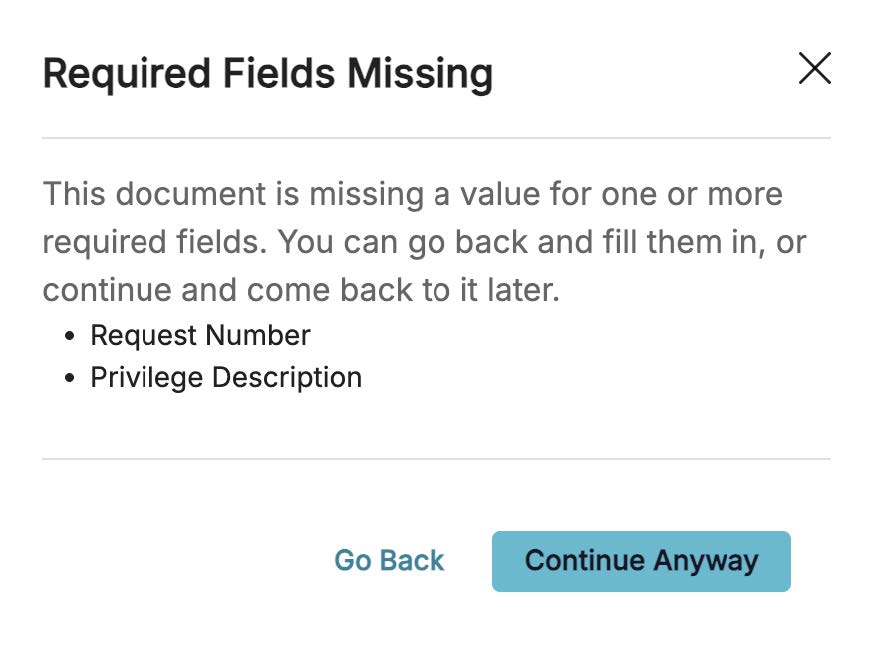
The “Notes” field on that project currently holds a privilege description, a Bates range, a URL, and what looks like someone’s lunch order.
Now, you can capture all that info via custom fields, which come in six types: short text (up to 255 characters), long text (up to 10,000 characters), single-select and multi-select dropdowns, date, and hyperlink.
The new types also give you more options for field-value filenames when you produce documents. You can also mark any field as required.
Nothing to see here: Withhold fully redacted pages from productions
Page 14 of your production is completely black. So are pages 15 through 38.
Congratulations, you’ve just produced a minimalist art installation.
If you’d prefer your productions to contain fewer pages that look like rejected Rothko paintings and lead to fewer questions from your opposing counsel, we have good news.
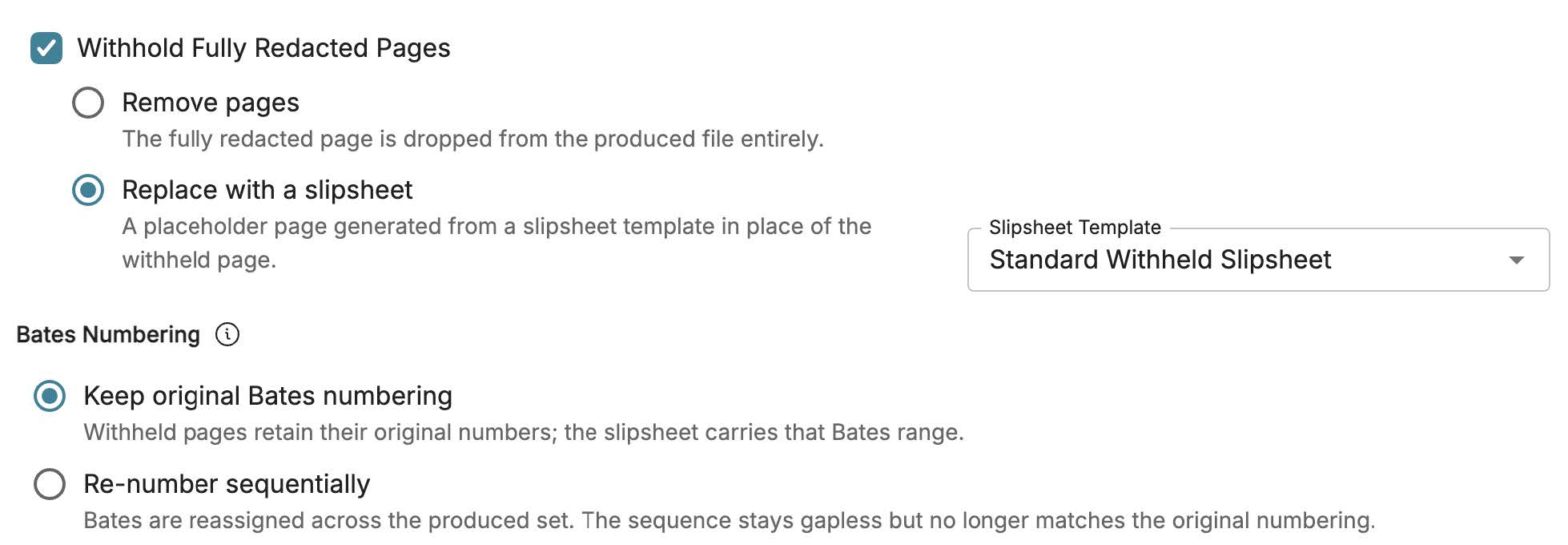
You can now withhold fully redacted pages from your productions. Remove them entirely, or replace them with a slipsheet that lists the withheld pages, their Bates numbers, and the reason for exemption.
Also in Logikcull:
- The Redactions panel in the Document Viewer now lists every redaction with its page and label. Click one to jump straight to it, or filter by label to step through only the redactions you care about.
- The Document Viewer keeps your place while you edit a redaction’s label, color, justification, or position.
- Project Templates now save your Auto-Redaction rules and Redaction Exclusion lists, and you can now edit and delete redaction exclusions.
Read the full Logikcull release notes
Logikcull for Public Records
“It’s not you, it’s just the wrong agency”
“No responsive records found.” “Duplicate request.” “Wrong agency.” Nobody deserves to type those from scratch for the 40th time in a month.
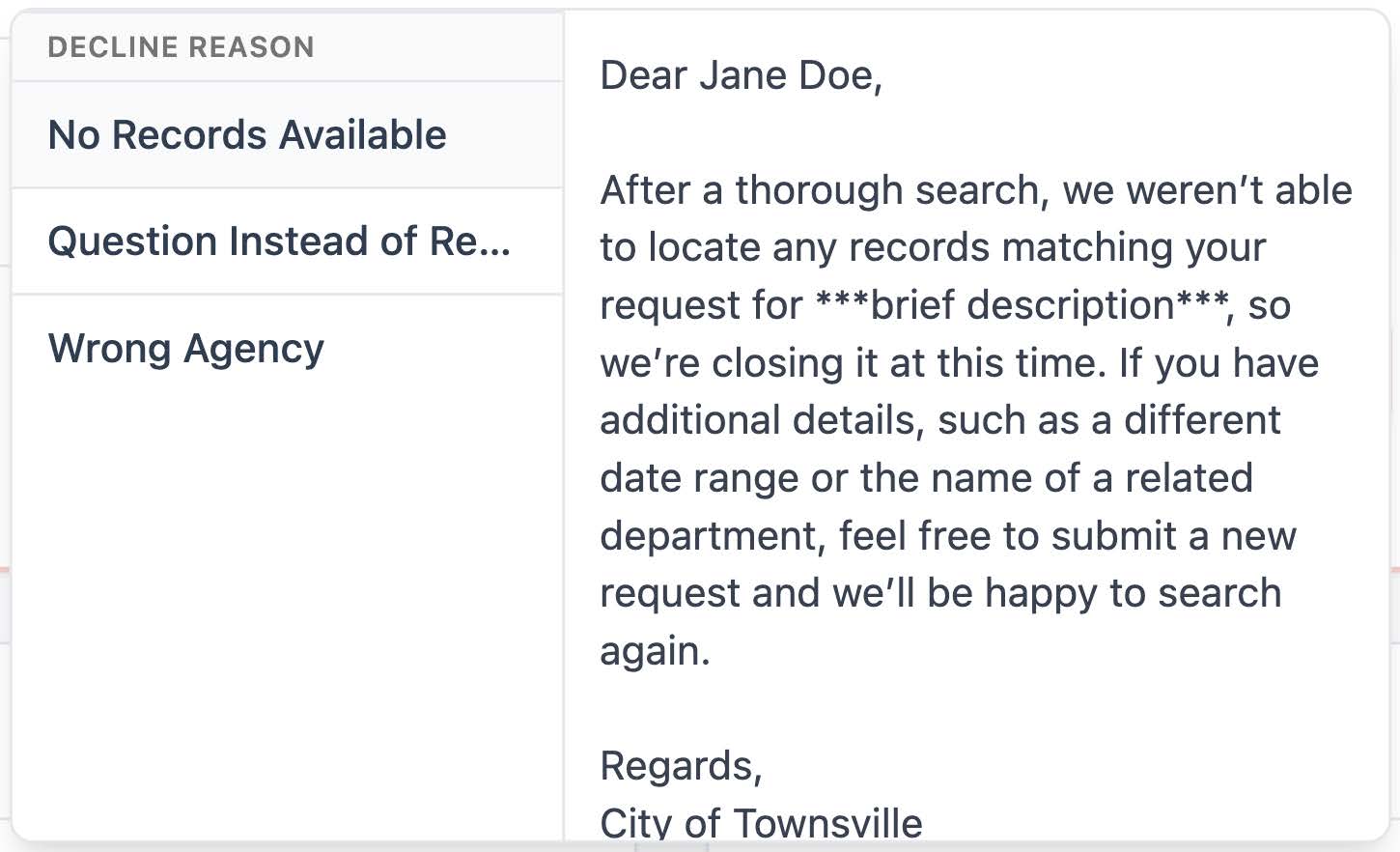
When closing a request, officers can now write a closing message and choose whether to email the requester. Logikcull saves the message and closure reason, shows them in the requester’s view, and includes them in the closure email. Admins can also build decline reason templates for the reasons that come up again and again. When officers decline a request, they pick a template, adjust the wording if needed, and hit send.
Email templates don’t get lost in translation for the UK and the Netherlands
Your templates now say “colour,” “favour,” and “dank je wel” without anyone reaching for a dictionary.
Email templates now come translated into Dutch and UK English, alongside US English. Admins just set a default template language for their agency, and the template editor opens in that language. Requesters get emails in their own language when it’s known, and in the agency’s default language otherwise.
Copy that: Share any request with ease
A screenshot of a request page is not a filing system.
Now, you can copy a request’s link instantly or create a download summary: a PDF with the request details (requester, status, deadlines, assigned agent, and more) plus the full log of sent messages. You can include internal notes or leave them out, but summaries that include notes carry a red warning on every page saying they shouldn’t leave the agency. Summaries without notes work well as proof of filing or for appeals and disputes.

Also in Logikcull for Public Records:
- Officers can now release documents they upload directly to the Reading Room.
- Standing Publications now have categories and start directly in Agency Review. The New Request button now offers a choice between Records Request and Standing Publication.
- The Workflow Status report now includes labels, and all six status reports can be filtered by label. Admins (and Officers with permission) can create labels right from a request.
Read the full Logikcull for Public Records release notes
We’re Listening
Every feature in this post had to start somewhere, and a lot of them started with a customer sharing feedback that would be beneficial to many more customers.
Tell us what would make your work easier, what’s missing, or what you’d build if you ran the roadmap.
Thanks for helping us serve you better!
Stay in the know
Get the latest news, expert guidance, and interviews delivered straight to your inbox so you're always one step ahead.
Get the latest updates
Want to see it work?
Request a demo today.
Managing FOIA requests with limited staff, strict deadlines, and pressure to protect sensitive data?
Logikcull is built for this.