

Redacting Documents the Right Way: Avoiding the Most Common Legal Mistakes
Learn how to redact legal documents correctly and avoid the costly mistakes that expose sensitive data. A step-by-step guide for legal and compliance teams.

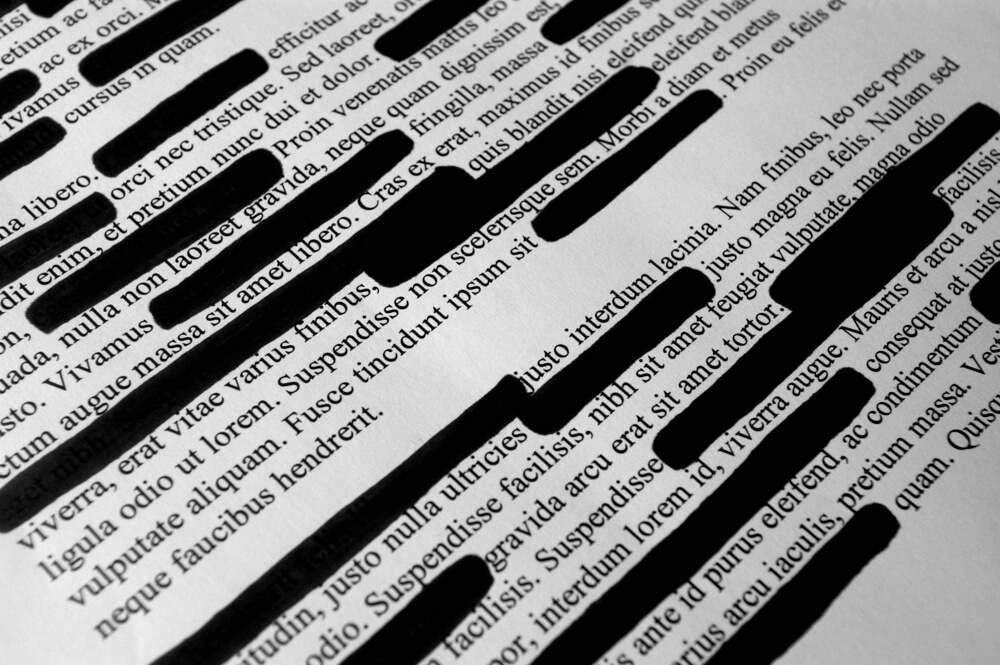

Document redaction is the process of permanently removing or obscuring sensitive information from a document before it's shared, produced, or published, whether that's personally identifiable information (PII), privileged communications, or confidential business data. Done right, it protects your clients, your organization, and your legal standing. Done wrong, it can expose you to regulatory penalties, malpractice claims, and serious reputational damage.
This guide is for legal, compliance, and privacy professionals who need a clear, practical approach to redacting documents.
Why document redaction matters more than ever
Data volumes are exploding. More discovery means more documents. More documents mean more opportunities for sensitive information to slip through. Legal teams are processing larger datasets than ever before, and the margin for error is shrinking. The International Association of Privacy Professionals (IAPP) consistently reports that data volumes and regulatory complexity are growing in tandem, making structured redaction workflows more critical than ever.
Regulators aren't forgiving. GDPR, HIPAA, CCPA, and a growing list of state and federal privacy laws require organizations to handle PII with care. A missed redaction isn't just embarrassing; it can trigger investigations, fines, and litigation.
Courts aren't forgiving either. Improperly produced documents can result in sanctions, adverse inference instructions, or waived privilege. The stakes are real.
Prerequisites: What you need before you start
Before you start redacting, here's what you need to have:
- The right tool. A dedicated document redaction software that isn't manual highlighting in Word or a PDF editor is essential for legal work. Manual methods don't permanently remove underlying text; they just hide it.
- Clear scope. Know what you're redacting and why. PII? Attorney-client privileged content? Confidential business information? Define this before review begins.
- Defined permissions. Only authorized reviewers should have access to unredacted documents. Lock this down at the project level.
- A review protocol. Establish who reviews redactions before production and what a QC (quality control) check looks like.
How to redact documents correctly: A step-by-step guide
Step 1: Identify what needs to be redacted
Start with a clear redaction criteria list. Common categories include:
- PII — names, Social Security numbers, addresses, dates of birth, financial account numbers
- Protected health information (PHI) — covered under HIPAA
- Privileged communications — attorney-client, work product
- Confidential business information — trade secrets, internal strategy
- Court-ordered protections — specific categories defined by a protective order
Your PII redaction software should let you search for and flag these categories automatically using keyword lists, regular expressions, or AI-assisted pattern recognition.
Step 2: Use software that permanently removes data
This is the most important step. Redaction must permanently eliminate the underlying data from the document, not layer a black box on top of it. Highlighting text in black in Word or Acrobat leaves the original text in the file metadata so it can be copied, pasted, and read.
Proper document redaction software burns the redaction into the document, so the original content is gone when you produce it. Giving opposing counsel, record requestors, and no loopholes to sensitive information.
Step 3: Apply redactions systematically
One of the most common mistakes in legal document review is redacting manually, page by page. At any real document volume, that approach breaks down fast. Use bulk redaction tools to apply consistent redactions across similar documents at once.
Logikcull's bulk redaction and auto-tagging capabilities let teams apply redactions across entire document sets, cutting review time significantly without sacrificing accuracy.
Step 4: Log every redaction with a reason code
Each redaction should be tied to a specific justification, such as a privilege, PII, protective order, etc. This creates a defensible record. If opposing counsel challenges a redaction, you need to show your reasoning clearly and consistently.
Step 5: QC before production
Before anything goes out the door, a second set of eyes should check:
- Are all redactions properly applied (not just visually, but in the underlying file)?
- Are there any inconsistencies? The same name redacted in one doc but not another?
- Does the redaction log match what was produced?
Build this into your workflow. It's not optional.
Step 6: Produce and document
Once QC is complete, produce your redacted documents. Keep a full audit trail: who redacted what, when, and why. This protects you in post-production disputes and supports privilege logs.
Common redaction mistakes and how to avoid them
Using the wrong tool. PDF highlighters and Word comments don't constitute proper redaction. Use purpose-built document reviewing and redaction software.
Redacting inconsistently. If a name is redacted in exhibit A but not exhibit B, you've created a problem. Apply redaction criteria uniformly across all documents in a set.
Forgetting metadata. The visible content isn't the only risk. Metadata — author names, revision history, comments — can contain sensitive information too. Make sure your tool strips or redacts metadata as part of the workflow.
Skipping the QC step. Production under deadline pressure is real. But rushing past quality control is how costly mistakes happen.
No audit trail. If you can't show what was redacted and why, you're exposed. Document everything.
Best practices for legal redaction teams
- Define your redaction criteria at the start of every matter
- Use consistent reason codes across your team so your privilege log is defensible
- Leverage automation for pattern-based PII (Social Security numbers, dates, account numbers) to reduce manual effort
- Never redact original files, always work from copies
- Train your team on the difference between visual redaction and permanent redaction
Your pre-production redaction checklist
Copy and use this before every document production:
- Redaction criteria defined and documented
- Right tool confirmed (permanent redaction, not visual overlay)
- Bulk redaction applied where appropriate
- Metadata checked and addressed
- Reason codes applied to all redactions
- QC review completed by a second reviewer
- Audit log saved and linked to matter file
- Final production set verified before delivery
The bottom line
Redacting documents is a legal and ethical obligation. A missed Social Security number, an accidentally produced privileged email, or one overlooked metadata field can undo months of careful work and expose your organization to serious consequences.
The good news: with the right document redaction software and a consistent workflow, redaction slipups are an avoidable nightmare. You don't need to be an eDiscovery expert to get it right. You just need the right process and the right tools.
See how legal teams are cutting redaction time and producing with confidence in Logikcull.
Learning With Logikcull
Browse our latest resources for innovative legal teams like yours




Stay in the know
Get the latest news, expert guidance, and interviews delivered straight to your inbox so you're always one step ahead.
Get the latest updates
Want to see it work?
Request a demo today.
Managing FOIA requests with limited staff, strict deadlines, and pressure to protect sensitive data?
Logikcull is built for this.